Features
Everything an SME needs for NIS2. Nothing it does not.
Every feature answers a concrete question: what am I missing? How do I implement? How do I demonstrate it? All without unnecessary complexity.
Step zero
Guided diagnosis, in plain language
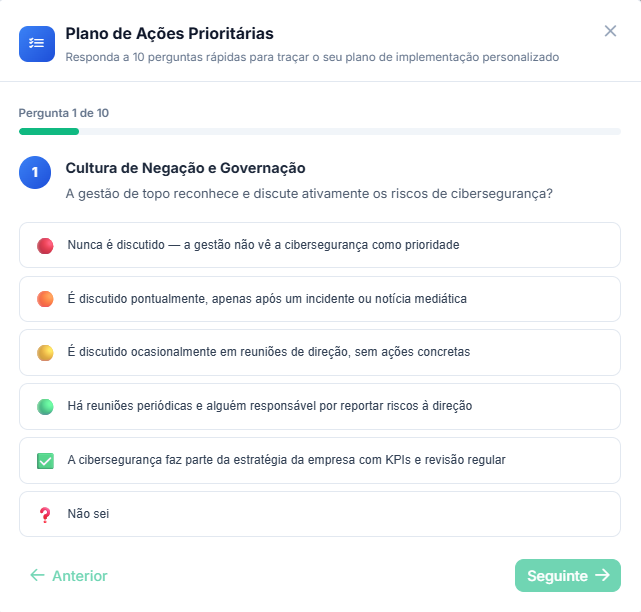
The starting point is a 10-question questionnaire written for people who run a business, not for auditors. Each question is mapped to one of the most common vulnerabilities in SMEs and, in turn, to one or more QNRCS controls.
- 10 direct questions, no technical jargon
- Mapped to the most common vulnerabilities in SMEs
- Priority action plan generated from your answers
- Redo the diagnosis whenever your company's reality changes
The plan
Security controls tailored to your level
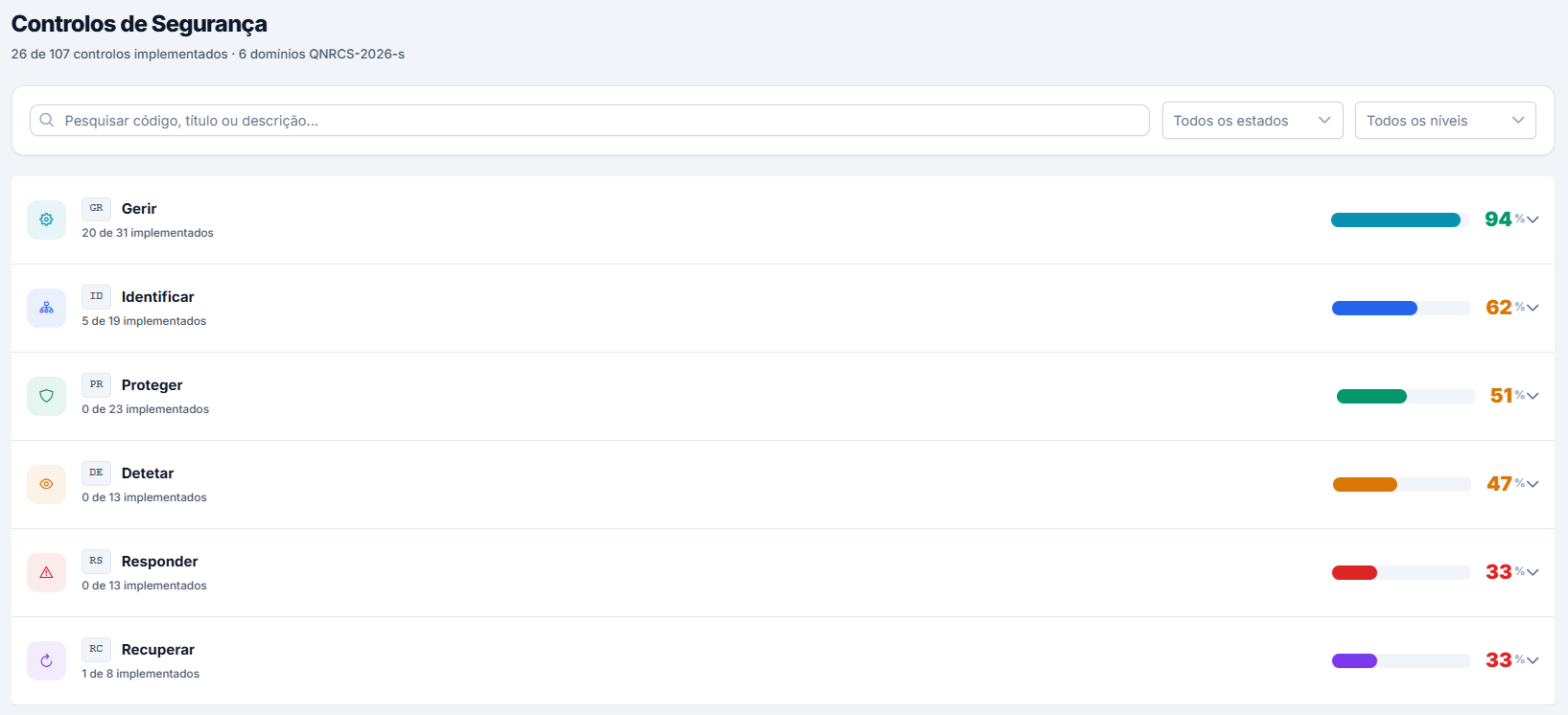
From the Basic level (43 minimum measures) to High (92): based on the level you indicate at registration, the platform measures compliance against what the QNRCS requires of your entity, organised across the 6 objectives (Govern, Identify, Protect, Detect, Respond and Recover). In total, the QNRCS defines 107 controls, with the remaining ones available for those who want to go beyond the minimum. Administrators delegate the measures for your level in one step, and whoever implements them sees only those.
- Clear statuses: not started, in progress, implemented and approved
- Priority actions derived from the diagnosis
- A control that does not apply leaves the scoring, with its justification in plain view
- Filters by status and level, with controls grouped by objective
The implementation
Concrete guidance, control by control
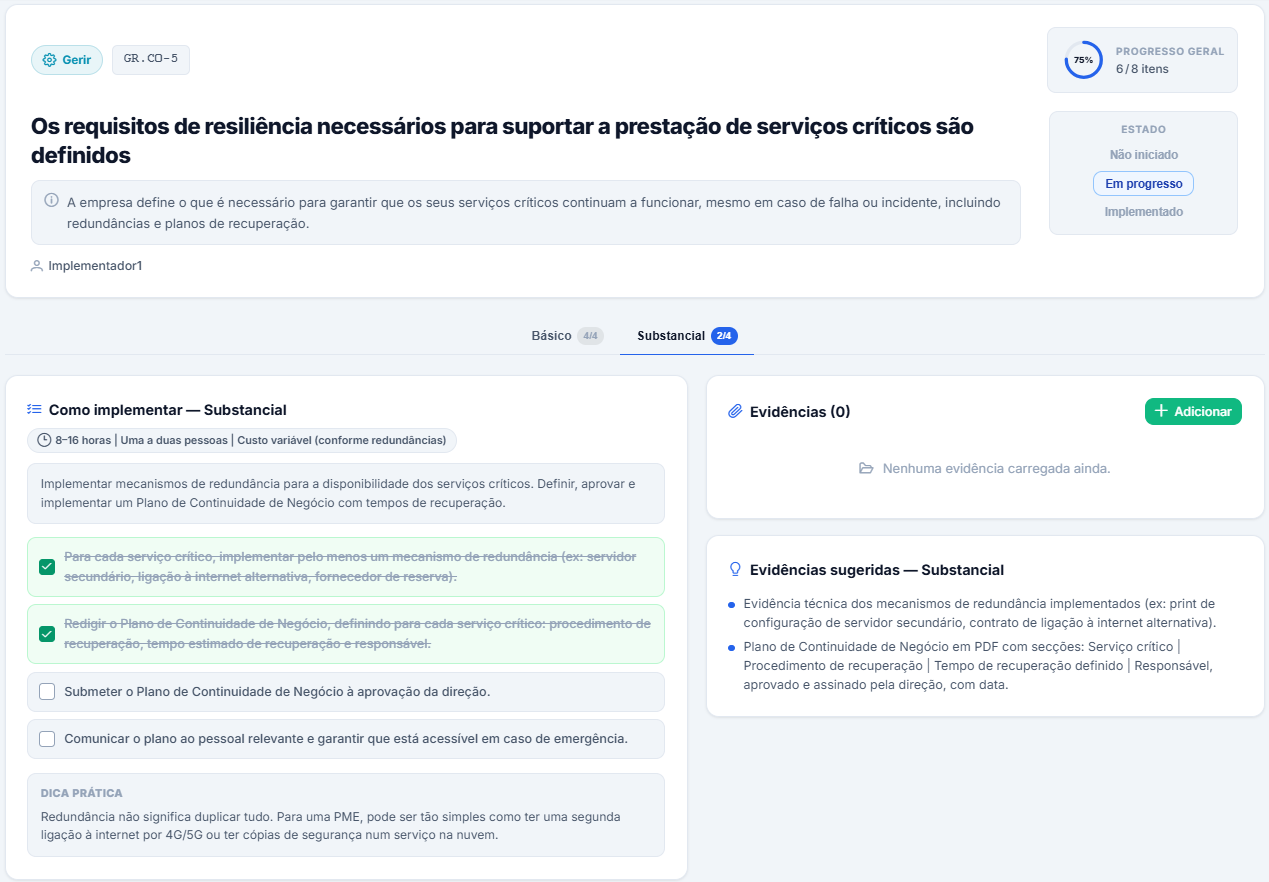
Knowing what is missing is half the journey; the platform helps with the how. Each control includes a description of what is expected, why it is required and practical implementation guidance suited to the reality of an SME.
- Concrete steps, suited to your compliance level
- Ready-to-use evidence examples and a practical tip
- Estimated effort: time, people and cost
- Delegate the control to whoever will implement it
The response
Incidents: deadlines in plain sight when time counts
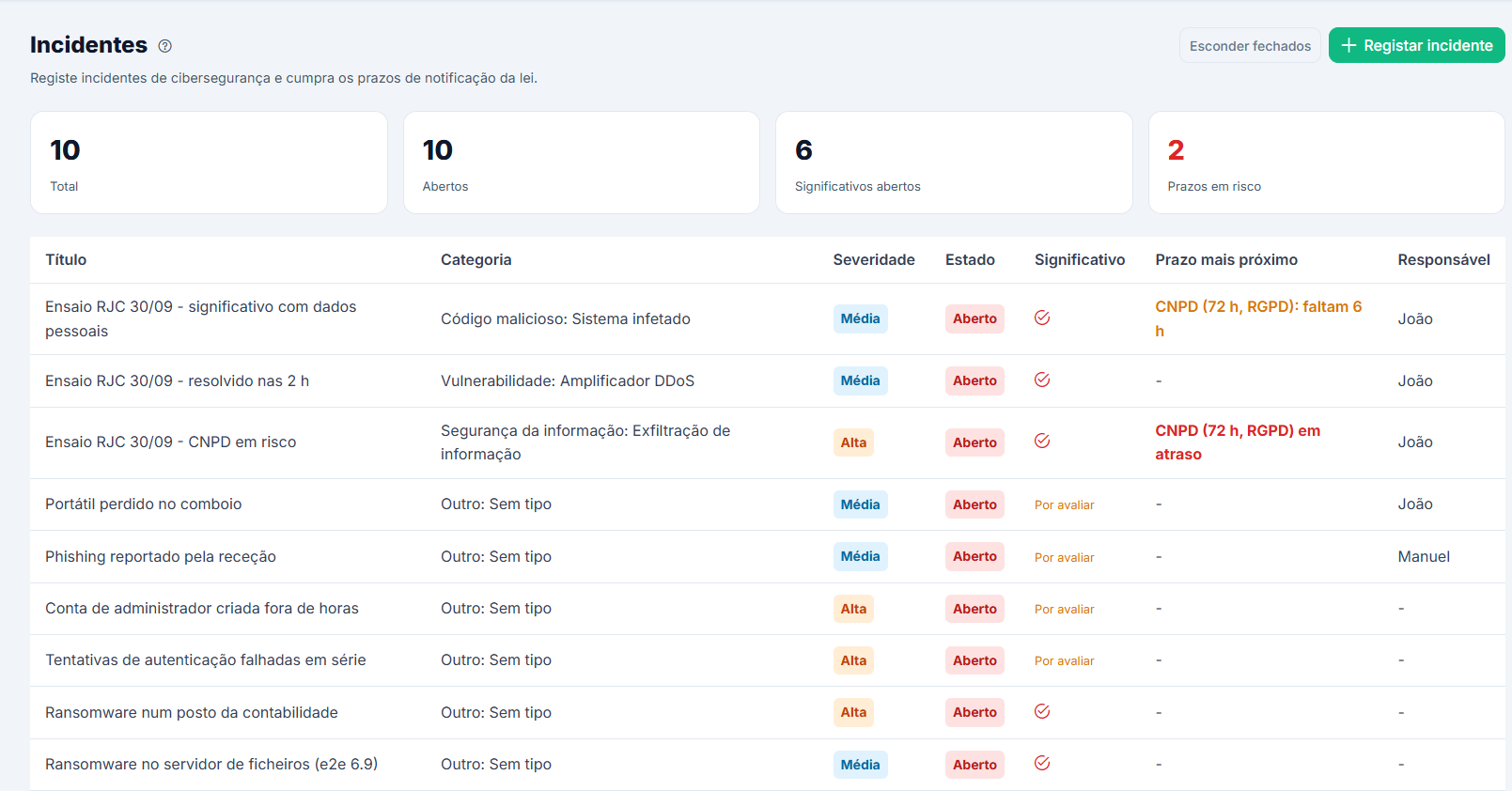
When an incident happens, it is not the time to read the law. Four simple questions help you assess whether it is significant: the platform suggests a classification and the decision is yours. From there, it tracks the deadlines for notifying the authority and warns you when they are about to expire. Everything is recorded, and the PDF report comes pre-filled.
- Significance assessment in four plain-language questions
- Notification deadlines tracked, with warnings before and after they expire
- Append-only timeline: events cannot be edited or deleted
- PDF report in Portuguese or English, with everything recorded, as a basis for the notification
The demonstration
Reports that speak the language of management and of authorities
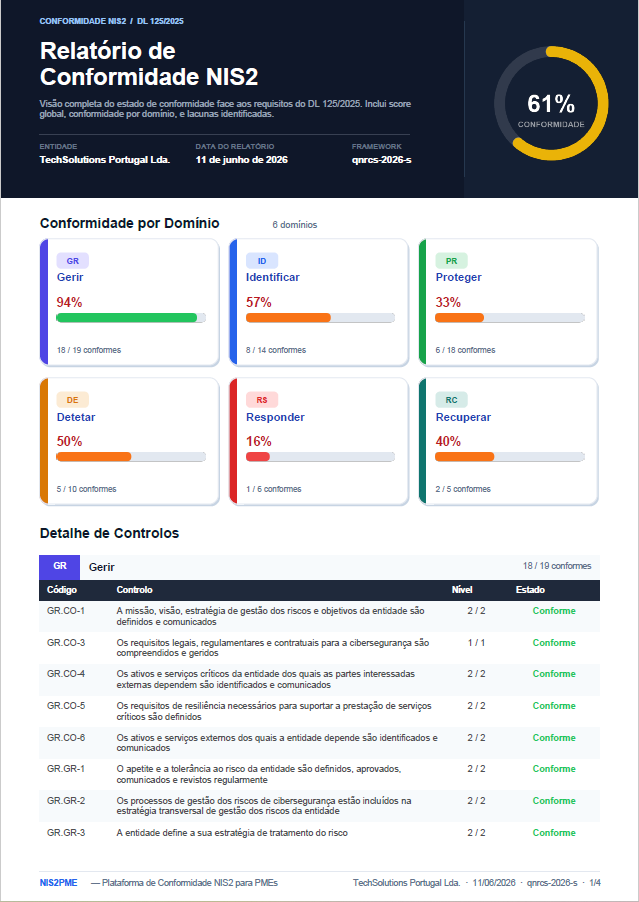
Compliance you cannot demonstrate does not exist. Maturity dashboards per objective, progress against the required level, and exportable reports to present to management, auditors or the competent authorities.
- Maturity radar across the 6 QNRCS objectives
- Compliance percentage against the minimum required level
- Compliance report in PDF, for management, auditors or authorities
- Weekly compliance history
And also, in the free core
Reusable evidence
One piece of evidence can support several controls and has versions; whoever views or downloads it is recorded in the audit log. Duplicates are detected, and anything removed stays in the recycle bin for 30 days, where it can be restored.
Recurring tasks
Nine periodic obligations already set up, such as reviewing access, testing backups or running exercises, plus your own. Every completed task can be attached as evidence in one click.
Training records
Record training sessions and participants, including the management-body training the law requires. The record can be attached as evidence in one click.
14 document templates
Policies and plans in Word, in Portuguese and English: cybersecurity, access, backups, incident response, business continuity, supply chain and more.
Roles and approvals
Five roles, from administrator to auditor and top management, with adjustable permissions. Delegate controls, and the auditor approves what has been implemented.
Tamper-evident audit log
Every action goes into a chained log, verified every day, where any change to the history is detected.
Security by default
Mandatory two-factor authentication, encrypted personal data and evidence content, and scheduled encrypted backups.
Email alerts
By email, incident deadlines and a weekly summary of what needs attention. Tasks send their reminders inside the platform.
Global search
Find controls, evidence, incidents, tasks and training records with Ctrl+K, by keyword and in any order.
System health
On an on-premises deployment, one page shows the state of the database, disk, email and backups, designed for non-technical staff.
Portuguese and English
Interface in PT and EN, useful for international teams or groups with a presence in Portugal.
On-premises with Docker
Free deployment on your infrastructure, fully prepared for Docker. Your data, your rules.
What the platform does not do
A compliance tool that promises everything is not credible. These limits are stated upfront.
It does not submit notifications to the CNCS
It generates a report with what you recorded and tracks the deadlines; the notification is made on the official platform.
It is not a SIEM or an antivirus
It does not monitor your network in real time. It reads the reports from the tools you already have.
It does not run vulnerability scans
It imports the results from the tools that do.
It does not implement the measures for you
It tells you what to do, how, and what proof to keep; the execution is up to your team or your IT provider.
It does not determine your compliance level
That results from the classification defined by the CNCS.
It does not replace legal advice
Nor an audit. It is a tool that supports compliance.
See it with your own eyes
Try the core and AI analysis in the 14-day trial. To see the Premium modules with sample data, book a demo.